Use cases
Five moments when you need to know what the code does.
Big projects start blind, and every change is a risk. For each of these five moments: what the documentation answers, and which views of the web app to open.
Stated limit: These benefits are qualitative. We have not measured them in percentages, hours or return on investment, so this page shows none.
Before a big project
SAP S/4HANA and clean core
What exists, how it runs and what it depends on: smaller remediation scope, data-driven decisions.
The questionWhat exists, and what starts it?
What you look at in the web app
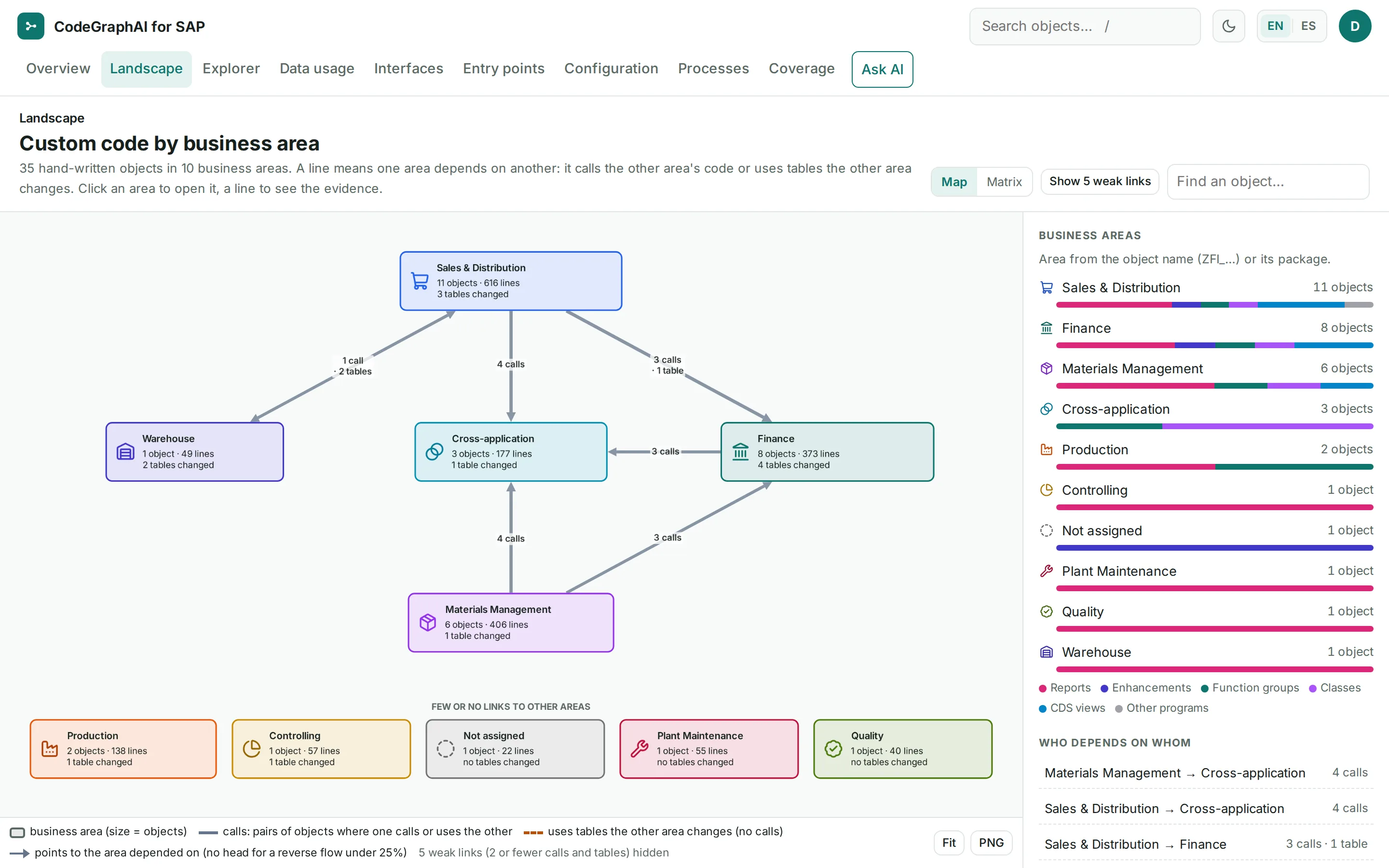
- Landscape
Custom code by business area, then one area, then one object with “Impact if changed”.
- Entry points
Transactions, background jobs and every other way custom code is started.
- Configuration
IDoc, payment and DMEE, BAdIs, CMOD and maintenance dialogs, each connected to its code.
- Catalogue
Index pages for entry points, enhancements and exits, configuration, SAP modifications, interfaces and SAP dependencies.
Stated limit: Every object type is inventoried, including forms, Web Dynpro, OData services and workflows. The coverage register states which types are documented in depth and which are only listed. The export holds no usage statistics. It does record which background jobs ran your programs during the export period (default 90 days), with their last run date.
Before a change
Faster, safer changes
Impact in minutes: table, program, job and transaction, with the line of code for each step.
The questionWhat breaks if I touch this table?
What you look at in the web app
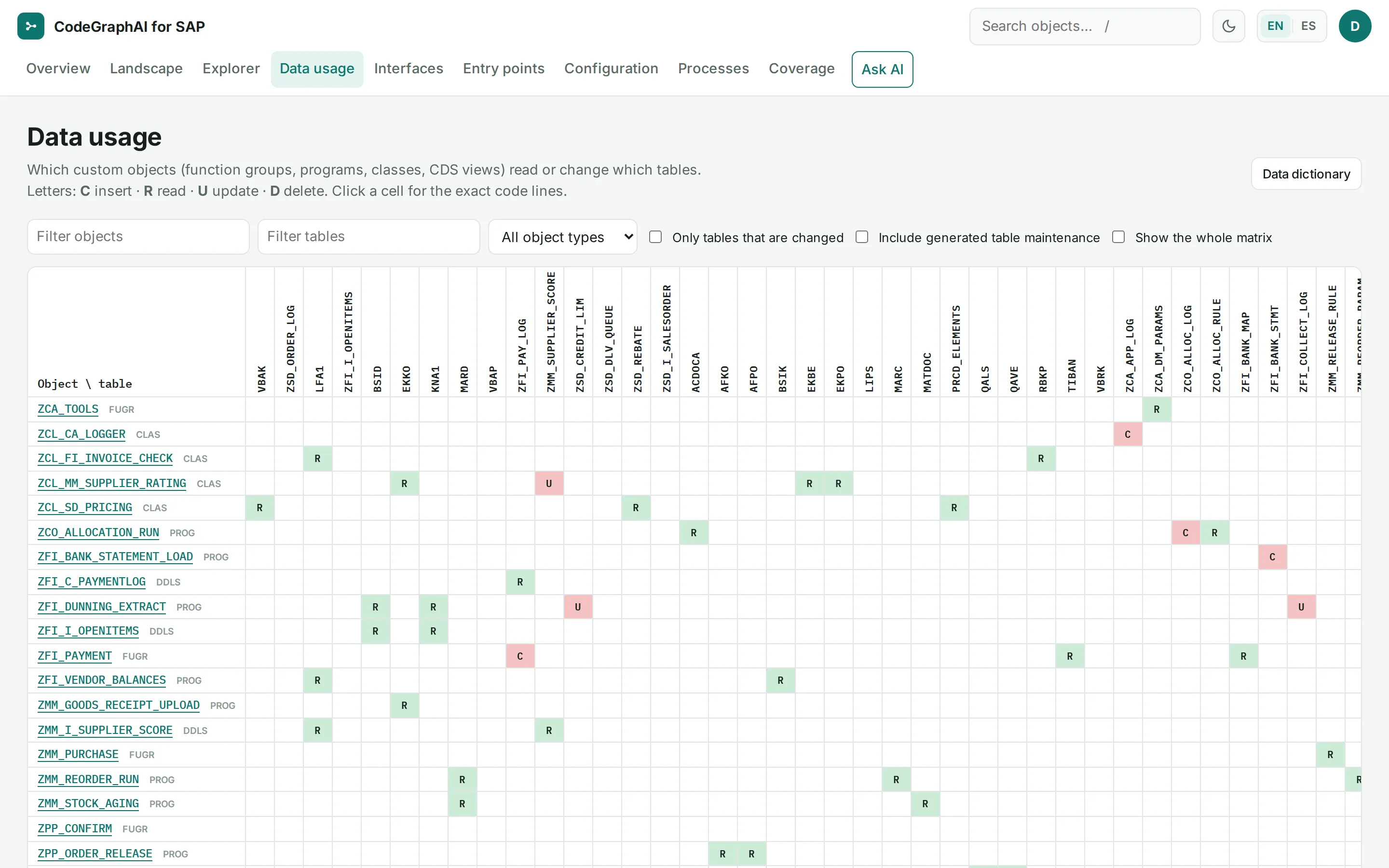
- Data usage
Which custom objects read or change which tables (C/R/U/D), with a click through to the exact code lines. Every table also has its own page.
- Explorer
Objects and their relationships as a graph. Each relationship stores file, line and confidence.
- Entry points
The transactions and jobs that start the code you are about to change.
Stated limit: Absence statements such as “no code updates this table” are written only after checking database statements, where-used rows and names in the source. They always state what stays invisible, such as dynamic names, code outside the export or SAP standard code.
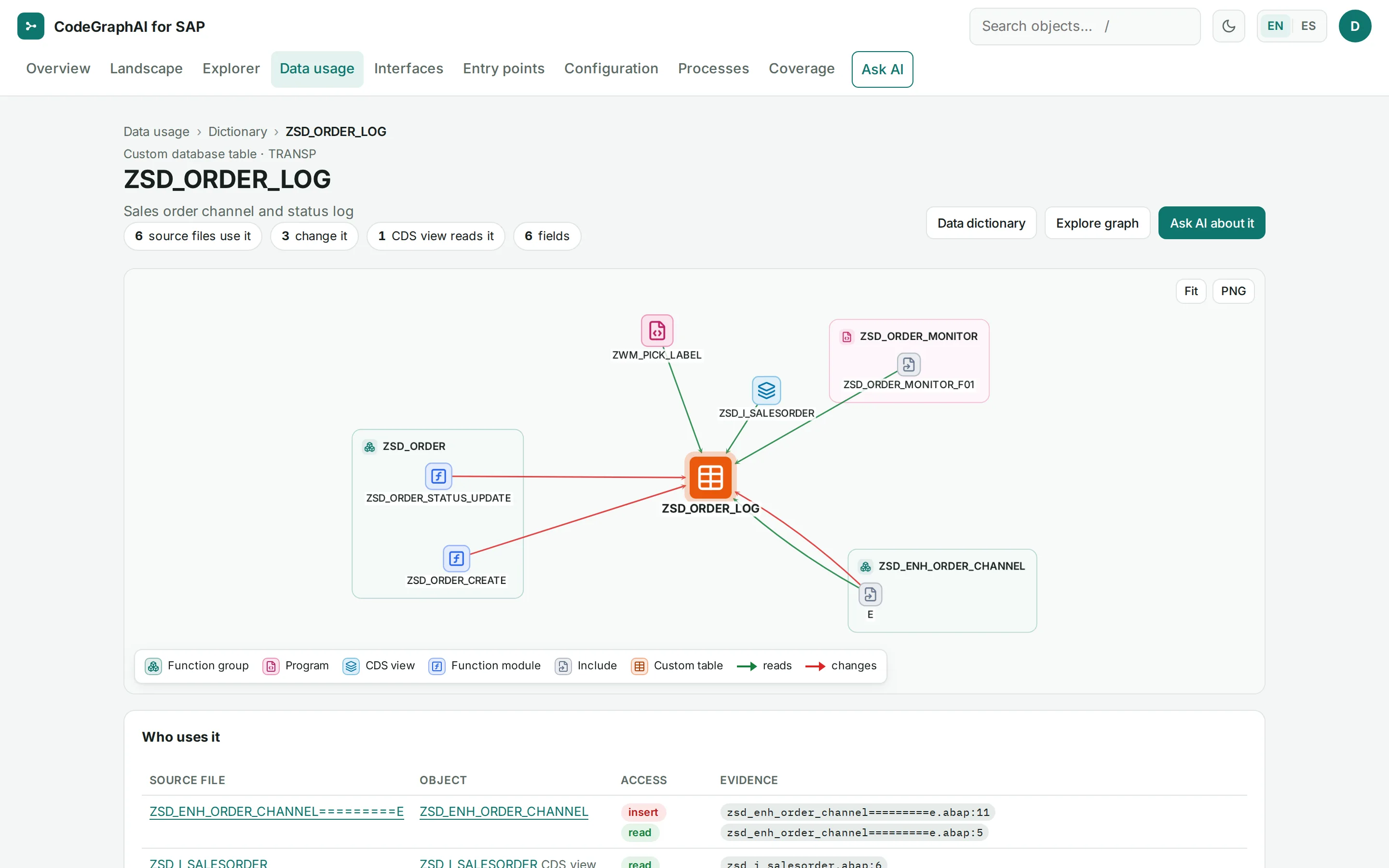
ZSD_ORDER_LOG, a usage graph of reads and changes, and the list of uses with code-line evidence. Screens from a synthetic demo system. Full sizeExcerpt of a catalogue page
ZSD_ORDER_LOGUse in the exported codeDatabase statements
LZSD_ORDERU01inserts intoZSD_ORDER_LOGGRAPH:CREATESSCHEMA:DDIC:ZSD_ORDER_LOG CODE:lzsd_orderu01 — in function ZSD_ORDER_CREATE (in ZSD_ORDER).abap:55 ZWM_PICK_LABELreadsZSD_ORDER_LOGGRAPH:READSSCHEMA:DDIC:ZSD_ORDER_LOG CODE:zwm_pick_label (in ZWM_PICK_LABEL).abap:22 LZSD_ORDERU04updatesZSD_ORDER_LOGGRAPH:WRITESSCHEMA:DDIC:ZSD_ORDER_LOG CODE:lzsd_orderu04 — in function ZSD_ORDER_STATUS_UPDATE (in ZSD_ORDER).abap:8
Checked by the citation auditor
Three of the seven database statements on the catalogue page of table ZSD_ORDER_LOG, as generated without AI from a synthetic demo system. The table page lists all seven. Open the table page
Each line ends with its evidence: GRAPH is the recorded relationship, SCHEMA the table’s ABAP Dictionary definition, CODE the exact source line.
When an incident comes in
Lower support costs
Incidents analyzed on a map, not from scratch. New team members productive sooner.
The questionWhat does this program call, and which tables does it change?
What you look at in the web app
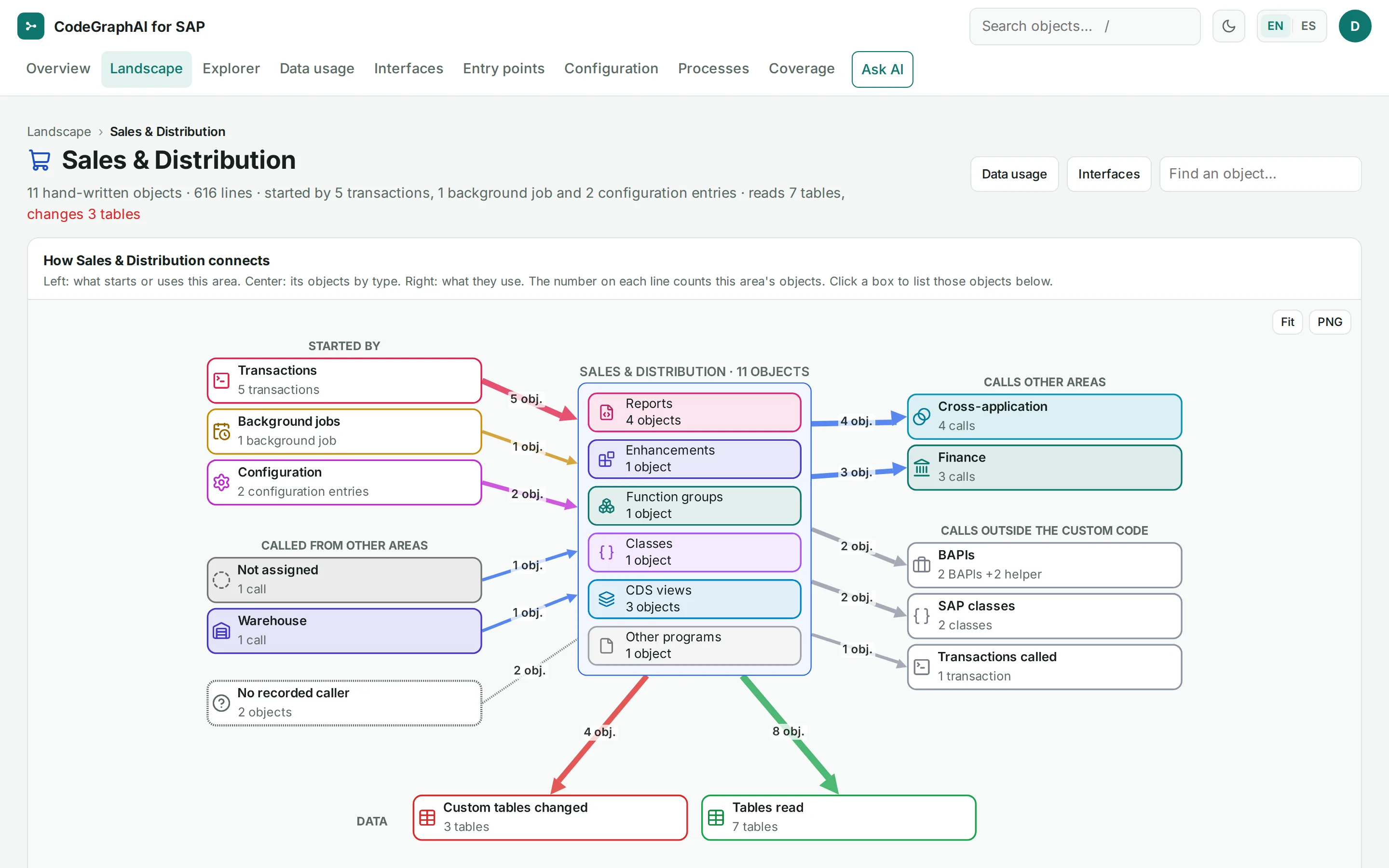
- Landscape
One business area at a time: what starts it, its objects by type, what it calls and which custom tables it changes and reads.
- Explorer
The objects around the one in the incident, and how they are related.
- Ask AI
Questions in plain language, answered with numbered evidence. Ask AI cites numbered evidence and cannot add evidence of its own. It runs only with your explicit, recorded authorization.
Answers are generated and may be incomplete; the linked code is the reference.
The app says so too.
When the AMS provider changes
AMS handover
The handover documentation already exists and can be verified: fewer weeks of transfer.
The questionWhat does this function group do?
What you look at in the web app
- Catalogue
One page per object, generated without AI. Every factual line carries a citation, so an incoming provider can check what it takes over.
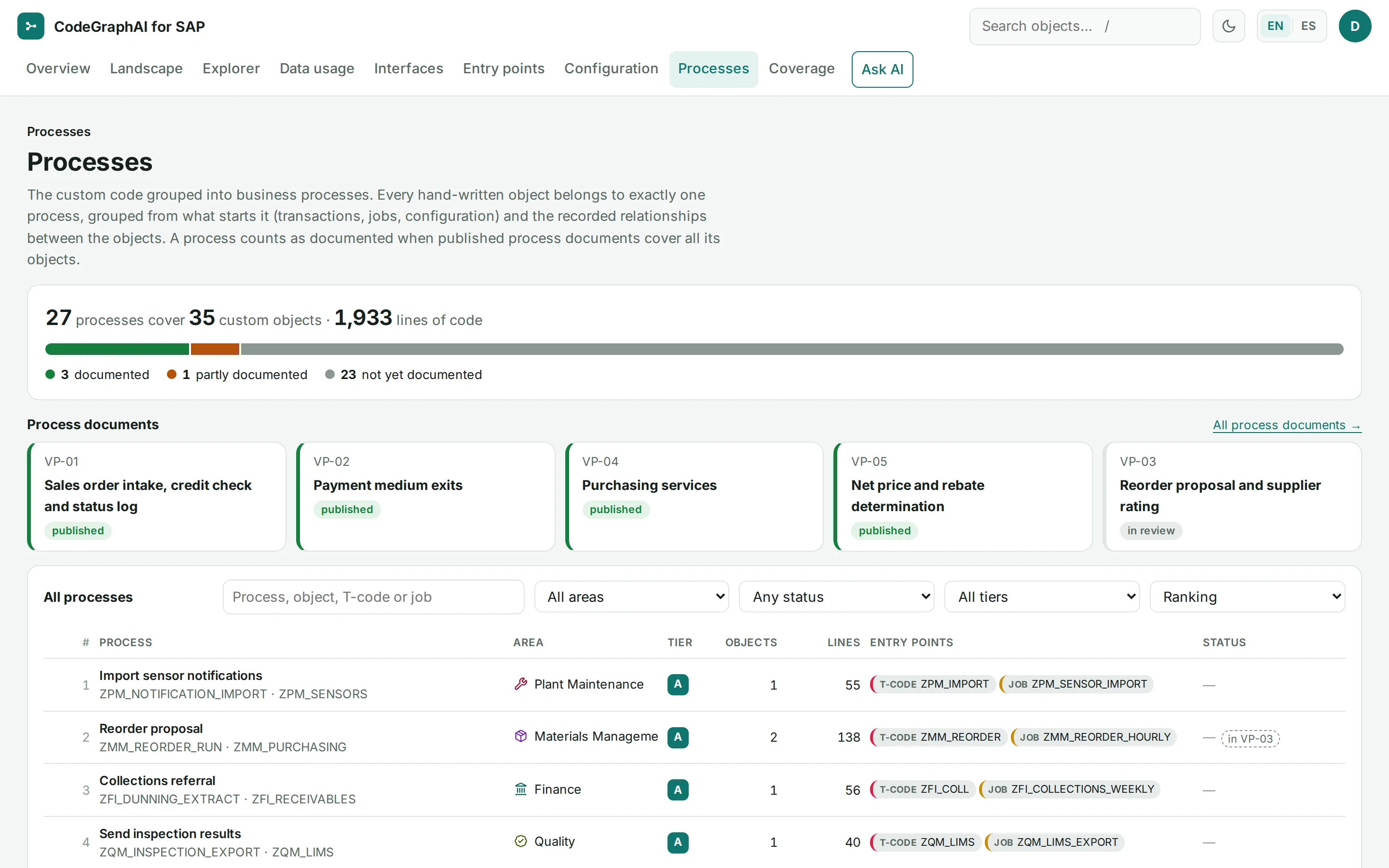
- Processes
Custom code grouped into business processes without AI, each with what starts it and its documentation status. Your experts confirm the business purpose in process documents (Validation Packages).
- Coverage
What was exported, what was documented, and every unresolved point. Gaps are listed, never guessed.
Product: After each release you run the export again. The new documentation is built and verified separately, in both languages, before it goes live; the previous version is archived and can be rolled back. For readers outside your company, such as an incoming provider, the source viewer can redact names and user IDs.
When the auditors ask
Audit and compliance
Which code writes to payment and finance tables, which authorizations it checks, which interfaces exist.
The questionWhich code writes to payment tables?
What you look at in the web app
- Data usage
Which custom code inserts, reads, updates or deletes each table, with a click through to the exact code lines.
- Interfaces
Interfaces by channel: IDoc, RFC, BAPI, batch input, update task, HTTP, file, shared memory, payment and BAdI, with a CSV download.
- Configuration
Payment methods connected to payment medium formats, DMEE trees and the function modules they call.
Product: The documentation also records which authorization objects the code checks. For readers outside your company, such as external auditors, the source viewer can redact names and user IDs.

A guided demo with our team: the web app, the evidence graph and a cited catalogue page.
or write to hello@codegraphai.com